
Inbound WhatsApp Authentication vs Traditional SMS OTP
Compare cost, security, and UX of inbound WhatsApp authentication vs SMS OTP, then test signed LessOTP webhooks for free.
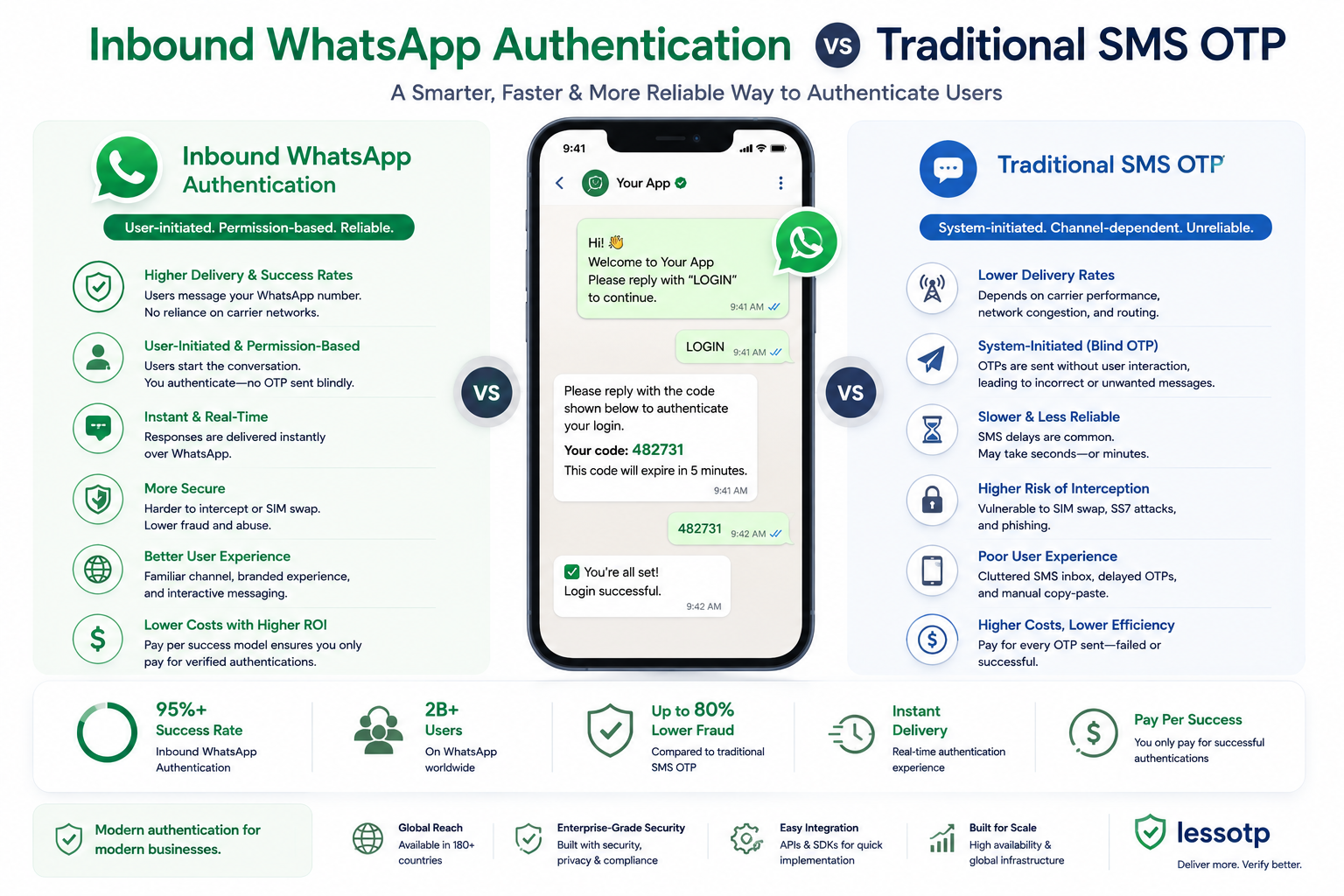
Why does SMS OTP add cost and friction?
SMS OTP requires your application to send a code, wait for provider delivery, and ask the user to copy the code back into the application. Every delivery creates a cost, including messages that arrive late or never result in a completed verification.
Inbound authentication reverses the flow: the user opens WhatsApp and sends /START code to the official LessOTP number. Your application receives the result through a signed webhook, and credit is deducted only when a production verification succeeds.
Flow comparison
| Aspect | SMS OTP | Inbound WhatsApp |
|---|---|---|
| Message direction | Platform → user | User → platform |
| User input | Copy and type an OTP | Send a prefilled message |
| LessOTP billing | Not applicable | Successful production verifications only |
| Result delivery | Check code through an endpoint | HMAC webhook + idempotency key |
Try a staging request for free
Create an App in staging mode, generate an API key, and run the request below. Staging uses the same verification engine and client webhook, but sends no real WhatsApp message and deducts no credit.
curl -X POST https://lessotp.com/api/v1/staging/auth/request \
  -H "Authorization: Bearer YOUR_STAGING_API_KEY" \
  -H "Content-Type: application/json" \
  -d '{
    "channel": "whatsapp"
  }'
Expected response:
{
  "status": "success",
  "data": {
    "request_id": "req_8f7d6c5b4a",
    "unique_code": "A7X92",
    "channel": "whatsapp",
    "wa_link": "https://wa.me/628999999999?text=/START+A7X92",
    "expires_in": 180,
    "mode": "frictionless"
  }
}
After creating the request, open Dashboard → Simulator and run a synthetic inbound event. Your App webhook URL will receive a payload like this:
{
  "event": "verification.success",
  "channel": "whatsapp",
  "request_id": "req_8f7d6c5b4a",
  "phone_number": "6281234567890",
  "timestamp": "2026-08-24T10:00:00Z"
}
Verify signatures and duplicate deliveries
Calculate an HMAC SHA-256 digest from the raw request body using your App signing secret. Compare it in constant time, then store the Idempotency-Key header so retries cannot process the same login twice.
import { createHmac, timingSafeEqual } from "node:crypto";

function verifyLessOTPWebhook(rawBody: string, signature: string, secret: string) {
  const expected = createHmac("sha256", secret).update(rawBody).digest("hex");
  const received = Buffer.from(signature, "hex");
  const expectedBuffer = Buffer.from(expected, "hex");

  return received.length === expectedBuffer.length &&
    timingSafeEqual(received, expectedBuffer);
}

// Simpan Idempotency-Key dan abaikan delivery yang sudah pernah diproses.
See the complete payload contract, retry policy, and error codes in the LessOTP API documentation.
See a signed webhook in under five minutes
Sign in with phone-first authentication, create a Staging App, and run the Simulator. No real provider message is sent and no credit is deducted.
Start staging test